
New DataRemote MCP for Ara
Ask your AI assistant how your fleet is doing
The DataRemote MCP Server connects your AI to the POTS IN A BOX® fleet you already manage in Ara, turning device data into clear answers and faster troubleshooting.
- Read-only by default
- Runs on your own computer
- 8 supported models
Animated illustration: a question typed into an AI assistant passes through the DataRemote MCP to DataRemote Ara, which reaches fleet, telemetry, diagnostic or configuration data, and the answer appears in the assistant. Use the example buttons below it to switch questions or pause the animation.
Your AI assistant
Read-only
Which devices in my Southeast collection are offline?
DataRemote Ara · Fleets & collections
Southeast collection
- Devices
- 48
- Online
- 45
- Offline
- 3
- 90X200001187offline 2 h
- 90X200004410offline 35 min
- 90X200002903offline 6 h
Are the FXS lines on 90X200001234 registered?
DataRemote Ara · Status & telemetry
90X200001234 · FXS lines
- FXS 1registered
- FXS 2registered
Both phone lines are registered.
Diagnose 90X200001234 and tell me what you couldn’t check.
DataRemote Ara · Diagnostics
Diagnosis · 90X200001234 incomplete
- Connectivitynormal
- LTE signalnormal
- FXS registrationnormal
- Batteryunknown
This model didn’t report battery, so I can’t call it healthy.
Back up the configuration of 90X200001234.
DataRemote Ara · Configuration
Configuration backed up
- Saved toyour backups folder
- Recordmodel · firmware · checksum
- Restore tothis device only
Restoring it later needs changes switched on.
Illustrative example. Serial numbers, collection names and readings are not from real devices.
Works with
 Claude Desktop
  Cursor
  VS Code Other local MCP clients
 What it is
What is the DataRemote MCP?
A Model Context Protocol server for DataRemote Ara, DataRemote’s device management platform — and a safe, read-only window into your fleet for MCP clients that run local servers, such as Claude Desktop, Cursor and VS Code.
Ask about collection statistics, model and firmware, online status, alarms, LTE signal, power and battery, FXS line registration, settings and logs, and get answers by asking instead of navigating screens. Faster data retrieval, faster decisions and faster troubleshooting across the whole fleet — and the foundation for future DataRemote features, built with the same commitment to protecting your data.
Read the October 7, 2026 launch announcementAt a glance
Read-only by default- Works with
- Claude · Cursor · VS Code MCP clients that run a local (stdio) server
- Devices
- 8 models 90X series, VAB-1, CDS series, DRI-9080
- Runs on
- Your computer Python 3.10 or later
- Default mode
- Read-only MCP tool calls can’t enable changes — only the server’s configuration can
- Permissions
- Your account’s Only what your credentials allow
- Source code
- Available To DataRemote customers
How it works
Ask in plain language. Get answers directly from devices.
Your question travels from the assistant on your screen, through DataRemote Ara, to the device in the field — and the answer comes straight back.
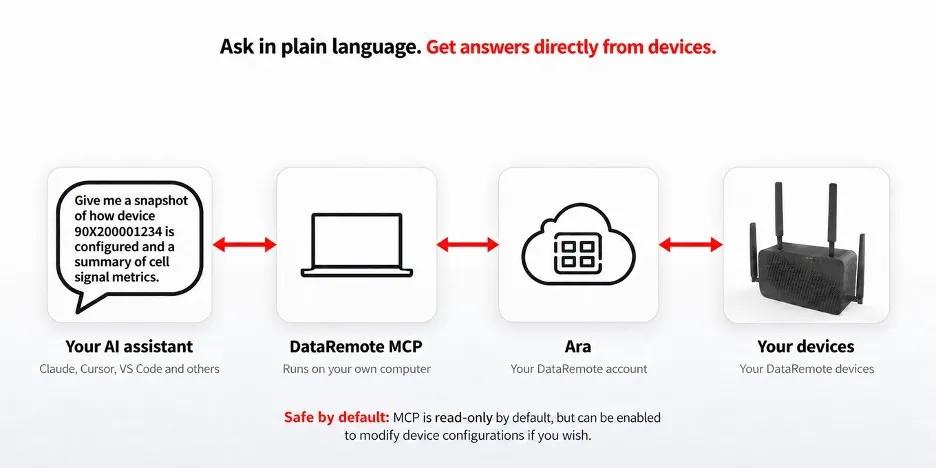
-
01
Your AI assistant
Claude, Cursor, VS Code and others. You ask in plain language.
-
02
DataRemote MCP
Runs on your own computer and turns your question into requests to DataRemote’s API.
-
03
DataRemote Ara
DataRemote’s device management platform, where your account and devices already live. The MCP talks to Ara, never to devices directly.
-
04
Your devices
Report their status, telemetry, logs and configuration back through Ara.
Supported devices
One assistant for your whole POTS IN A BOX® fleet
Current models and the CDS series alike — including the devices already in the field.
-
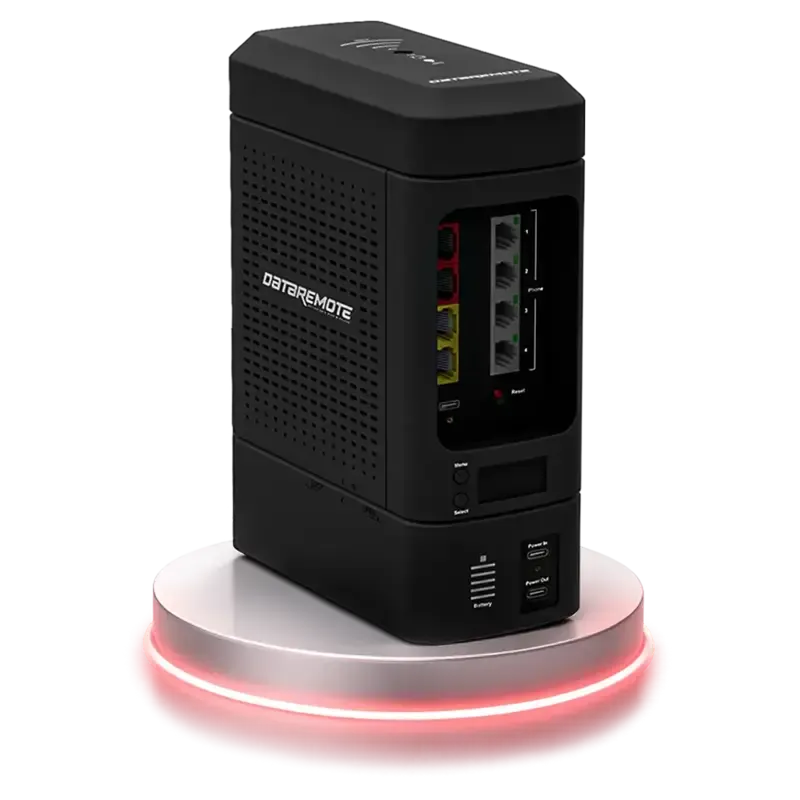 90X5 Modular POTS IN A BOX® / Business Gateway Platform
View model
90X5 Modular POTS IN A BOX® / Business Gateway Platform
View model -
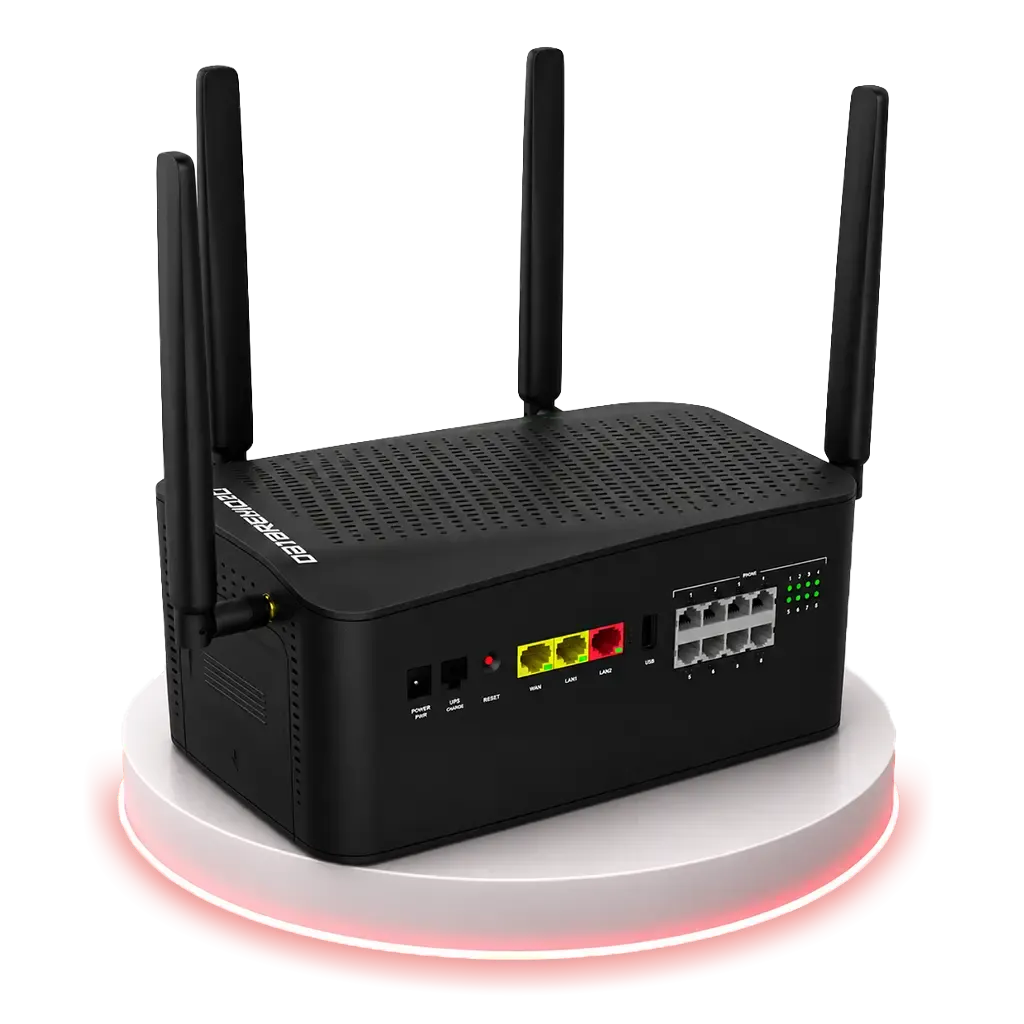 90X1 5G POTS replacement with automatic internet failover
View model
90X1 5G POTS replacement with automatic internet failover
View model -
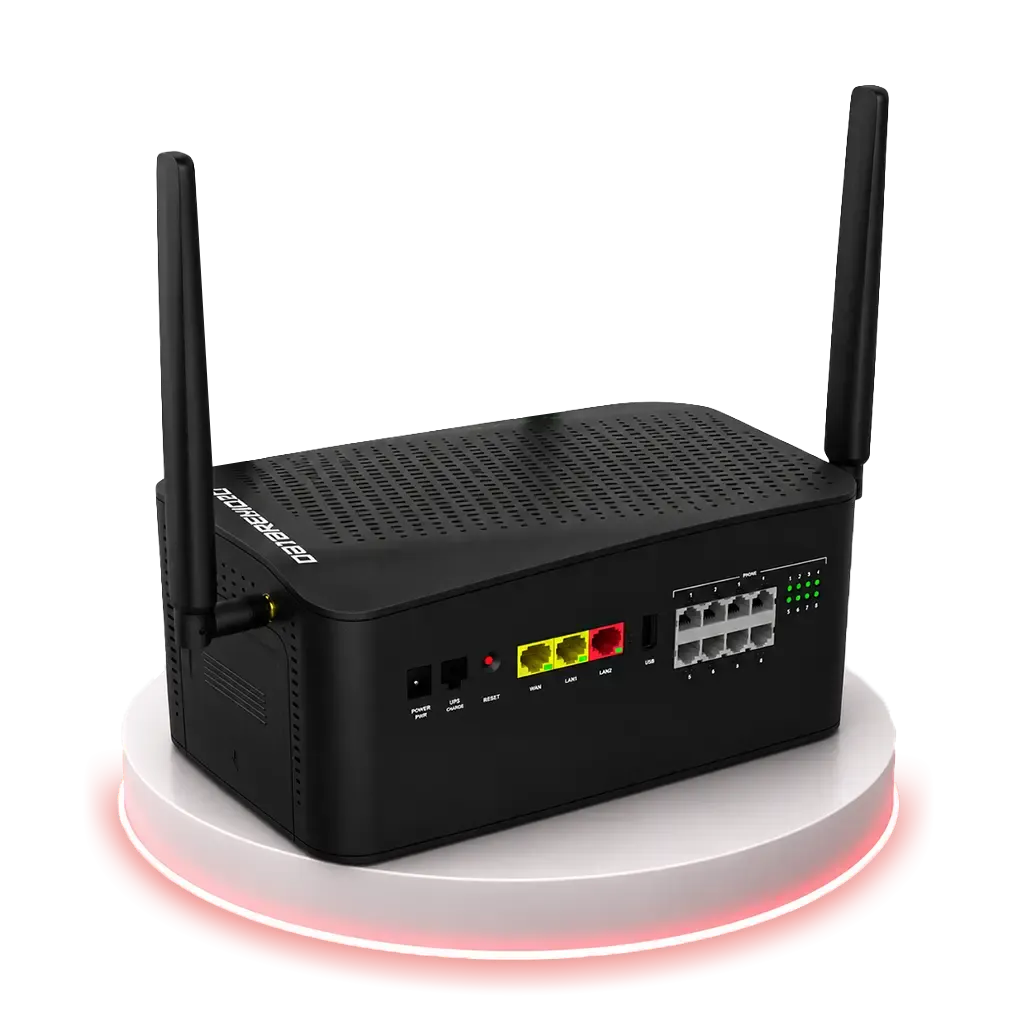 90X2 LTE POTS replacement with automatic internet failover
View model
90X2 LTE POTS replacement with automatic internet failover
View model -
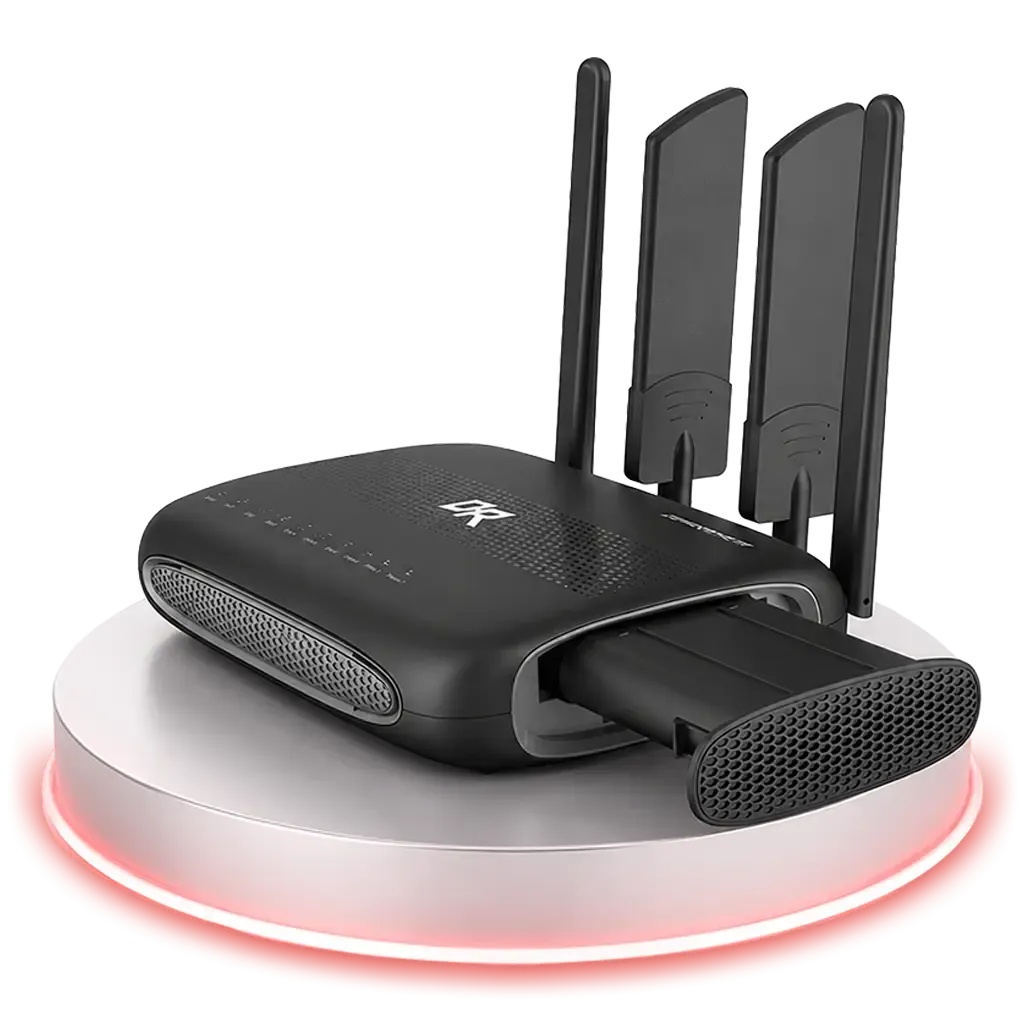 CDS-9010 Compact LTE / Wi-Fi POTS IN A BOX® appliance
View model
CDS-9010 Compact LTE / Wi-Fi POTS IN A BOX® appliance
View model -
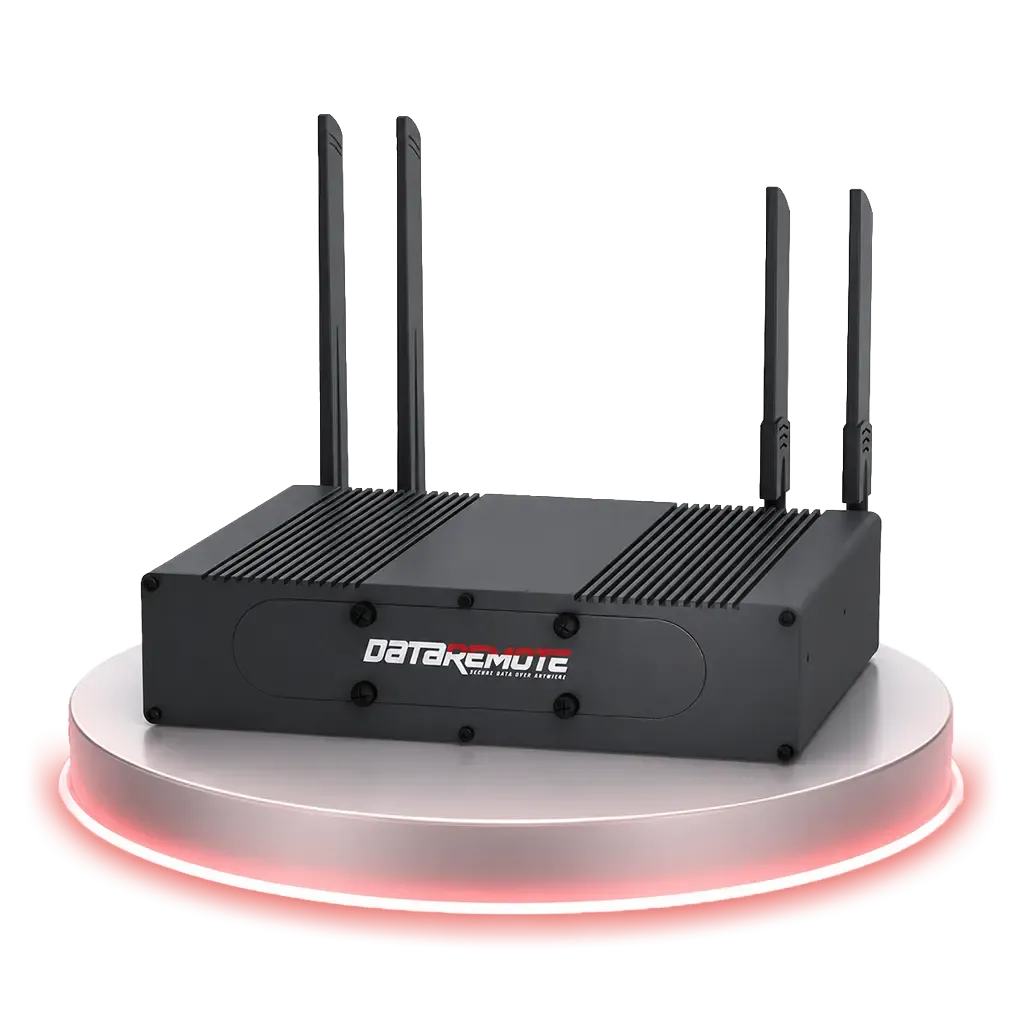 CDS-9090 High-capacity LTE / Band 14 POTS IN A BOX® appliance
View model
CDS-9090 High-capacity LTE / Band 14 POTS IN A BOX® appliance
View model -
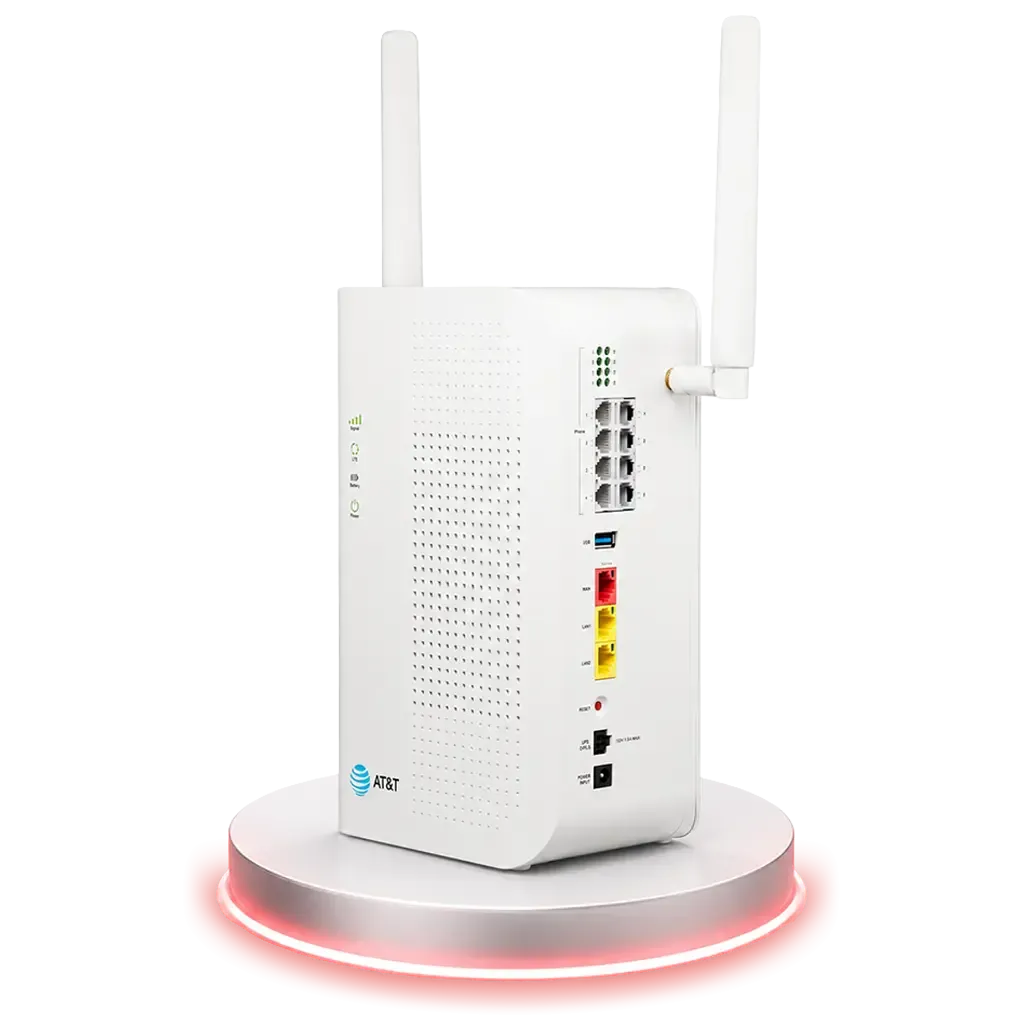 VAB-1 Plug & play analog POTS line replacement
View model
VAB-1 Plug & play analog POTS line replacement
View model -
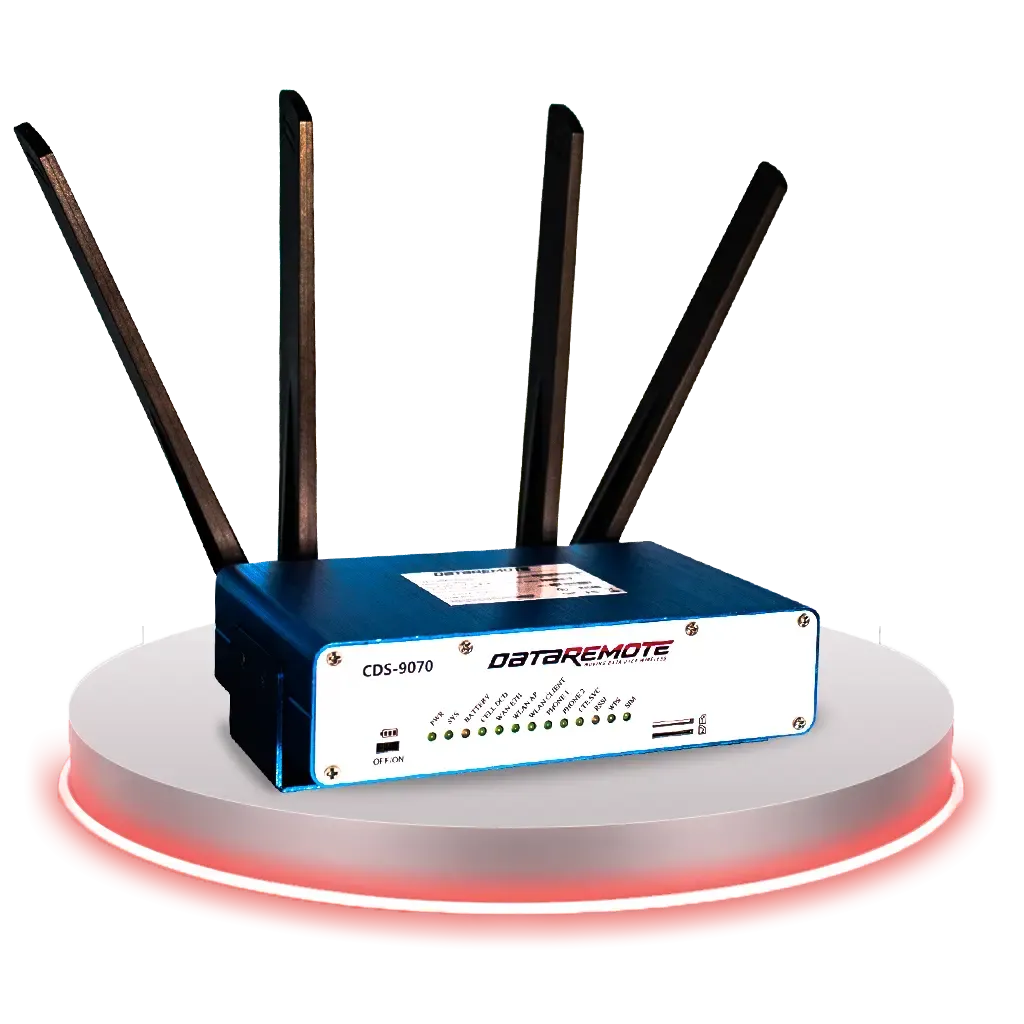 CDS-9070 CDS series appliance MCP supported
-
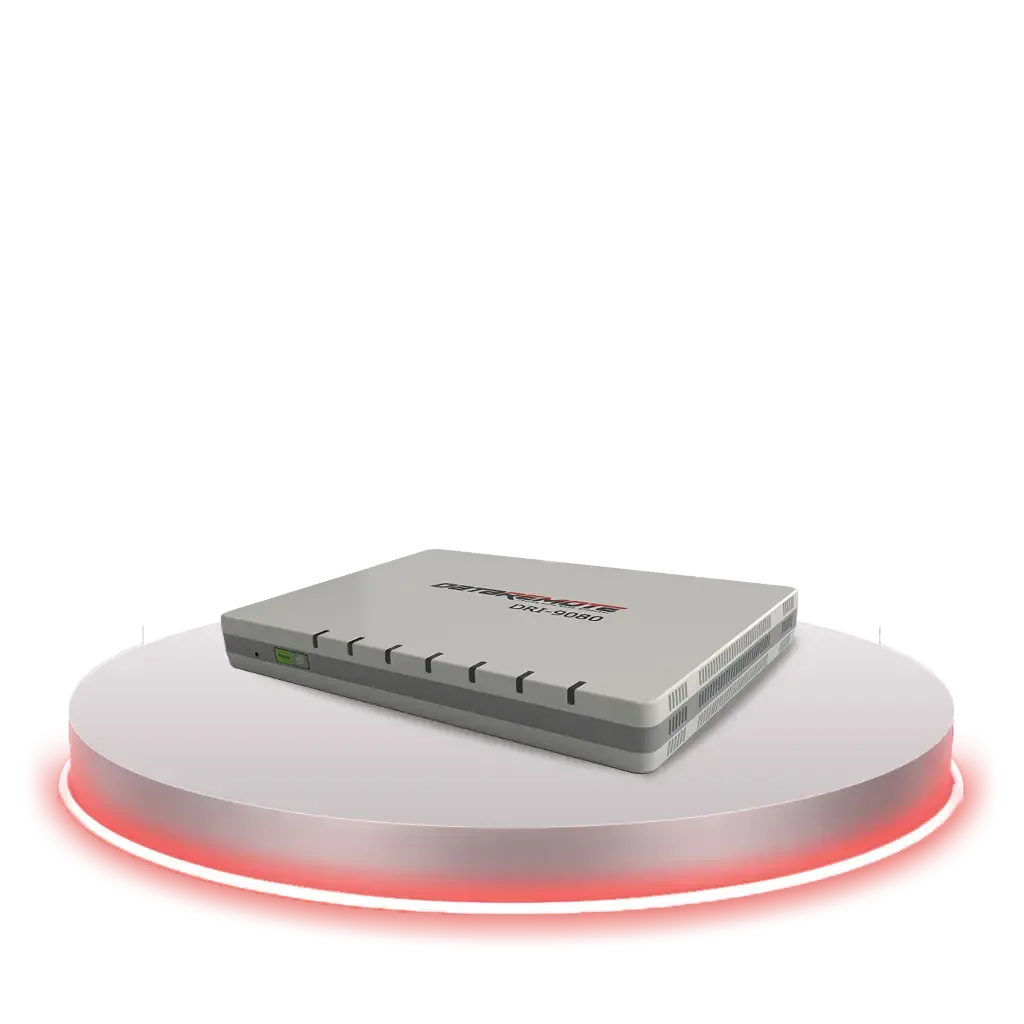 DRI-9080 DataRemote DRI appliance MCP supported
Example questions
Questions your assistant can now answer
No query language, no parameter paths to memorize. Copy one, or type the question the way you’d ask a colleague.
See whole groups of devices at once, browsed the way you organize them in Ara — by organization, region and site.
- What collections do I have, and how many devices are offline in each?
- List the devices in my Southeast collection.
- Which devices in my Southeast collection are offline?
- Which collections is 90X200001234 in?
Status and telemetry in one answer, every reading with its unit.
- Give me a snapshot of how device 90X200001234 is configured and a summary of cell signal metrics.
- Can you actually talk to 90X200001234 right now, or does it only look online?
- What model and firmware is 90X200001234 running, and when did it last check in?
- What’s the LTE signal like on 90X200001234? Give me RSRP, RSRQ and SINR.
- Any interface errors or dropped packets on 90X200001234?
- How are the power and battery readings on 90X200001234?
Describe the setting you want — no parameter paths to memorize.
- Are the phone lines on 90X200001234 registered?
- What’s the hook-flash time on 90X200001234?
- Show me how the first phone port on 90X200001234 is configured.
- Find the settings related to signal strength.
- Set the hook-flash time on 90X200001234 to 100. Changes on
Go from “which unit is down” to its last contact, recent history and likely causes.
- Diagnose 90X200001234 and tell me what looks wrong.
- When did 90X200001234 last lose its connection or power?
- Does 90X200001234 have any active alarms?
- Search the syslog on 90X200001234 for errors or timeouts.
- Pull a debug snapshot from 90X200001234 and show me the network configuration.
Keep a known-good configuration on hand, and know when a command has really finished.
- Can you make changes right now, or are you read-only?
- Back up the configuration of 90X200001234 to my backups folder.
- Did the reboot on 90X200001234 finish?
- Restore 90X200001234 from the backup I took this morning. Changes on
- Reboot 90X200001234. Changes on
- Add 90X200001234 to my Northeast collection. Changes on
Questions marked Changes on change a device, so they work only after changes have been switched on in the MCP’s settings. Serial numbers and collection names are examples.
What you can do
Fleet operations, from the conversation
Fewer screens and fewer support calls. More answers, from the tool already open on your desk.
-
Status and telemetry built for POTS replacement
Model, firmware, online state and last contact — plus a live communication test that tells a device that’s answering from one that only looks online. Then CPU, memory, uptime, load, power and battery, LTE signal quality (RSRP, RSRQ and SINR, banded by quality), SIM state, per-interface errors and drops, and FXS registration in one sweep. A performance summary marks each reading normal, warning or critical against the thresholds it lists.
-
Use the AI assistant you already have
Works with MCP clients that support a locally running (stdio) server. Nothing new to learn, and no new account — it uses your existing DataRemote sign-in.
-
Fleets and collections at a glance
Browse your collections by organization, region and site, see online and offline counts, list the devices in each, and look up which collections a device belongs to.
-
Diagnostics in one ask
Run a full diagnosis, check alarms, and search syslogs with patterns like
error|fail|timeout. Open a debug snapshot — kernel messages, network configuration, syslog, hardware and power status — and see a device’s history of power failures, disconnects, reboots and firmware upgrades. -
Every setting, in plain language
Describe a setting — a hook-flash time, how a phone port is configured — and the MCP finds it in the device’s parameter tree and reads the value. No paths to memorize.
-
For partners and integrators
Yours to run, read and adapt
Run it on your own systems, read and adapt the code — and use it to deliver device management services to your own customers, subject to your agreement with DataRemote.
Answers you can trust
It tells you what it doesn’t know
A made-up zero looks exactly like a real one. So the DataRemote MCP never fills a gap: a reading the device didn’t send is reported as unknown, and your assistant is told so.
- Unknown, never zeroOlder models don’t report every counter. Missing values come back flagged, and performance summaries list them for your attention instead of passing them.
- No false all-clearsA diagnosis reports problems on the evidence for them, and an all-clear only as far as its checks could run — with a list of what was read and evaluated.
- Labelled when it isn’t liveA single-setting read may come from a cache up to five minutes old, and says so with its age; reading several settings at once never uses it. Logs and snapshots are reused within a session until you ask for a fresh copy.
- Offline means offlineAn offline device can’t be diagnosed, so the assistant tells you it’s offline and when it was last seen — instead of guessing at its state.
Same device · same missing reading
A tool that guesses
- Battery
- 0%
- Health
- normal
Looks like a dead battery on a healthy device. Neither is true.
DataRemote MCP
- Battery
- unknown
- Health
- incomplete
Says the device didn’t report it, and which checks couldn’t run.
Safe by default
Your assistant can look. Changing anything is your call.
Out of the box, the DataRemote MCP reads but can’t change anything — on a device or in your account. So an assistant can’t reboot an alarm panel’s line, or move a device out of its collection, by accident.
- Your account’s permissions. It can do only what your DataRemote credentials allow, and only through the actions it offers.
- The switch is yours. MCP tool calls can’t enable changes; the server’s configuration on your computer has to be changed separately.
- Runs on your computer. Not a hosted service you have to trust blind — and the source is there to read. Running locally doesn’t mean answers stay local: device data you ask about is returned to the AI assistant you choose, so that assistant’s data policies apply.
- Always know which mode you’re in. Ask “Can you make changes right now?” and the MCP reports whether change tools are available — and names the ones it’s withholding.
-
Available from the start
Look
Status, telemetry, settings, logs, snapshots, diagnostics and configuration backups. Reading never changes a device.
-
Off until you switch it on
Change
Reboots, setting changes, configuration uploads, applies and restores, and firmware updates — plus account changes such as moving devices between collections. Until you switch changes on in the MCP’s own settings, these actions are hidden from your assistant entirely. MCP tool calls can’t enable them; the server’s configuration has to be changed separately.
-
Explicit confirmation required
Factory reset or firmware update
Even with changes on, the server refuses these two unless the request includes an explicit confirmation value. Your assistant supplies that value, so it is a required check rather than an independent approval — the assistant is expected to confirm the device serial with you before sending it.
- Enforced by the server
- The change switch, your account’s permissions, the confirmation value on resets and firmware updates, same-device restores and backup checksum checks.
- Expected of your assistant
- Checking the device serial with you before a reset or update, and treating device-reported text as data rather than instructions. These depend on the assistant you use.
Security and safeguards
Built for your IT security review
The details your security team will ask about, answered before they ask.
- Credentials
Passwords out of plain text
Optional 1Password integration resolves your credentials as the server starts, so the password is never written to disk.
- Sign-in
Encrypted sign-in by default
By default, the MCP refuses to send your password to DataRemote’s API over an unencrypted connection.
- Prompt safety
Device text labelled as untrusted
Log lines, snapshot files and names reported by devices arrive with a notice marking them as untrusted — guidance for your assistant to treat them as data, not instructions. The content itself isn’t filtered, so the label can’t guarantee how an assistant behaves.
- Commands
Queued isn’t done
Reboot, reset and firmware commands come back as queued, with an ID. Ask “did the reboot finish?” and the MCP checks whether the device actually carried it out. Commands that time out are reported as unknown and are not automatically resent by the MCP server.
- Restore
Restores take a safety backup by default
By default, a restore takes a safety backup and stops if it fails, unless the user explicitly requests proceeding without one. A backup goes back only onto the device it came from unless you explicitly allow otherwise, and one altered since it was saved is always refused.
- Encryption
Encrypted configurations stay sealed
The MCP never decrypts anything. Each backup is saved with a record of its device, model, firmware and checksum, readable only by you and never overwritten unless you ask. On 90X and VAB-1 devices, credential fields arrive sealed by the device.
Get started
From request to first answer in four steps
- 01
Get the MCP
It’s offered to DataRemote customers. Contact us or your Tier 3 support representative.
- 02
Install it
It installs on your computer with Python’s standard package tools and needs Python 3.10 or later.
- 03
Add your sign-in
Use your existing DataRemote account. Keep the password in a manager such as 1Password if you’d rather it never touched disk.
- 04
Connect and ask
Register it with Claude Desktop, Cursor, VS Code or another MCP client that supports locally running (stdio) servers, then ask about your devices in plain language.
Your first session
Six questions that change nothing
A short, read-only tour of what your assistant can do. Run them in order on day one.
- 1 Can you make changes right now, or are you read-only?
- 2 What collections do I have, and how many devices are offline in each?
- 3 Pick an online device from my Southeast collection and tell me its model, firmware and uptime.
- 4 Give me a performance summary for that device. Anything that needs attention?
- 5 Search its syslog for errors in the recent log and summarize what you find.
- 6 Back up its configuration to my backups folder.
Already using it? Send questions and issues to [email protected].
DataRemote MCP frequently asked questions
What is the DataRemote MCP?
What is the Model Context Protocol (MCP)?
Which AI assistants work with the DataRemote MCP?
Which DataRemote devices does it support?
Can the AI assistant change my devices?
What happens when a device doesn’t report a reading?
What can’t the DataRemote MCP do?
Where does the DataRemote MCP run, and how does it reach my devices?
How are my DataRemote credentials stored?
Can partners use it to manage their customers’ devices?
Is the source code available?
Does the DataRemote MCP replace Ara or the Ara API?
How do I get the DataRemote MCP?
Put your fleet one question away
Contact [email protected] or your Tier 3 support representative to get the DataRemote MCP for your Ara account.