
POTS IN A BOX®
Accessories
Power and antenna accessories that extend the range and resilience of every DataRemote POTS IN A BOX® appliance.
Accessories
Two problems accessories solve
Most DataRemote deployments need no accessories at all. The appliance ships with the antennas, power supply and battery it needs for a typical indoor install. Accessories exist for the two site conditions that a standard install can't answer on its own: an endpoint that needs AC power during an outage, and a location where the built-in antennas can't reach a usable signal.
 Power
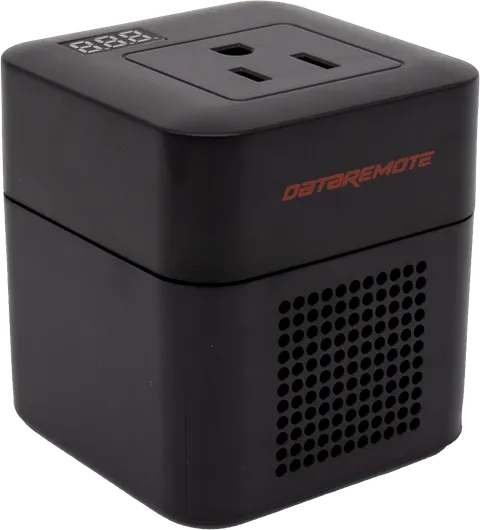
Power ACC-PI01
Convert DC UPS output into usable AC power
A compact DC-to-AC inverter that turns a DataRemote appliance's UPS output into standard AC power for approved accessories during outages.
View specs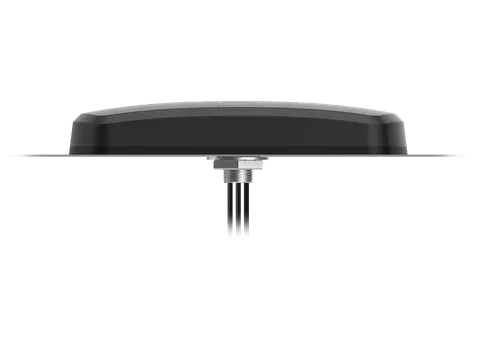 Antennas
 ANT-EXT
External antenna for 5G/4G MIMO or 4G/LTE deployments
A high-performance external antenna with integrated GNSS support, available in a 5G/4G MIMO configuration (ANT-5GEXT) or a rugged 4G/LTE configuration (ANT-LTEEXT) for fixed and outdoor installations.
View specsWhen you need a power inverter
A DataRemote appliance keeps its own analog ports alive on internal battery, but it does not power equipment plugged into the wall. If an endpoint at the site needs mains AC to stay reachable — a small monitoring device, a powered handset base, an intercom controller — that load goes dark when grid power does, even though the phone line is still up.
The ACC-PI01 power inverter converts an appliance's DC UPS output into 115V AC so a small approved load can ride out the same outage the appliance does. It adds enable, disable and power-cycle control over that load, plus low-voltage, over-voltage, overload and over-temperature protection, and it does this without touching the appliance's own ATA or router behavior.
Know the ceiling before you specify it. The inverter is rated at 150W, but the UPS output on DataRemote appliances is limited to 50W — so the practical AC budget is under roughly 50W. Size the connected load against the 50W figure, not the 150W rating. Anything heavier needs its own UPS.
When you need an external antenna
Signal is the most common reason a migration stalls. Fire panels and elevator controllers live in basements, machine rooms and metal enclosures — the places cellular reaches worst. If a site survey shows marginal signal at the install point, an external antenna is usually a better answer than relocating the appliance and re-running analog pairs.
The DataRemote external antenna ships in two configurations that share a housing, mounting hardware and integrated GNSS support for E911 location. The ANT-5GEXT covers 700–960 MHz and 1400–6000 MHz for 5G/4G MIMO. The ANT-LTEEXT covers 600–960 MHz and 1400–2690 MHz for 4G/LTE sites. Both are IP67 and IP69K rated after installation, run from -40°C to +85°C, and mount by M20 nut or right-angle bracket with an SMA/FAKRA connector.
Pick the 5G configuration when the site is on, or will move to, a 5G band plan; pick the LTE configuration for LTE-only deployments where the wider band coverage isn't needed.
Specifying accessories for a deployment
Accessories are ordered per site, not per account, because the conditions that justify them are physical. Three questions decide it:
- What is the measured signal at the exact install point? Take the reading where the appliance will actually sit — inside the enclosure, with the door closed — not in the corridor outside.
- Does any connected equipment need AC during an outage? If the analog endpoint is self-powered from the line, the answer is usually no.
- Is the mounting location indoors, outdoors or in a wet location? This drives the antenna's ingress rating and mounting hardware.
Compatibility is stated per model on each accessory page and in the linked datasheets. Confirm the appliance model in your bill of materials before ordering, and see the POTS IN A BOX® family for appliance-level specifications or documentation for datasheets and install guides.
Need an accessory quote?
Talk to a specialist about power inverters and external antennas for your DataRemote deployment.